
How to Add a Dependant to SHA profile: Step-by-Step Guide in 2026
This comprehensive guide explains how to add a dependent to your SHA profile or under your cover. It explains how you can add a child and a spouse plus all the documents required.
We have also highlighted the common mistakes people make and how to avoid them. If you have all the required documents, the whole process can be completed fully online.
I normally help many different clients with this problem at Mtaani Cyber almost every day. Adding children is easier than spouses. This is because you need a registered but inactive account for the spouse to be added to the cover. Below are the full requirements.
What You Will Learn
- Requirements for adding a dependent to SHA.
- How to add a child to your SHA profile.
- How to add your spouse to SHA online.
- Documents needed for children and spouses.
- Common mistakes to avoid.
- Who qualifies as an SHA dependent.
- How to check your dependent registration status.
- Answers to frequently asked SHA questions.
Requirements Before you Add a Dependant to SHA
Before beginning the registration process, ensure you have the following documents ready. Preparing these documents beforehand makes the process much faster.
If you are adding a child, make sure you have a birth certificate in soft copy and the child’s passport-size photograph (optional). For infants below six months, use the birth notification given at the hospital in place of the birth certificate.
If you are adding your spouse, have their National ID Number, registered mobile phone number, and a copy of either your marriage certificate, affidavit, or chief’s letter, and a separate registered SHA account with no means testing.
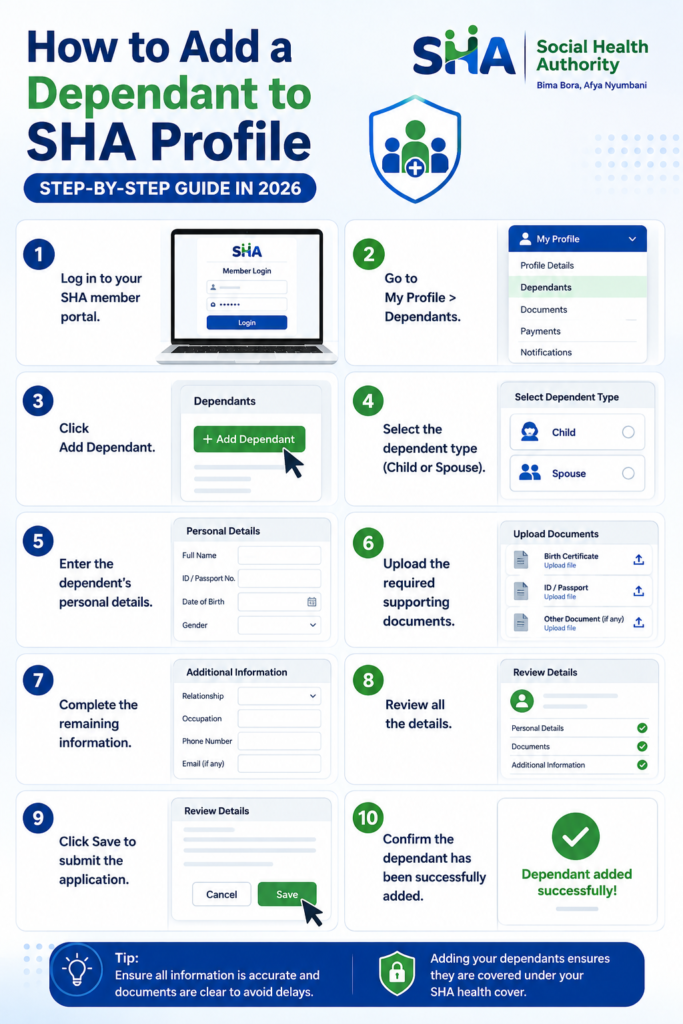
Steps to Add a Dependant to SHA
- Log in to your SHA member portal.
- Go to My Profile > Dependants.
- Click Add Dependant.
- Select the dependent type (Child or Spouse).
- Enter the dependent’s personal details.
- Upload the required supporting documents.
- Complete the remaining information.
- Review all the details.
- Click Save to submit the application.
- Confirm the dependant has been successfully added.
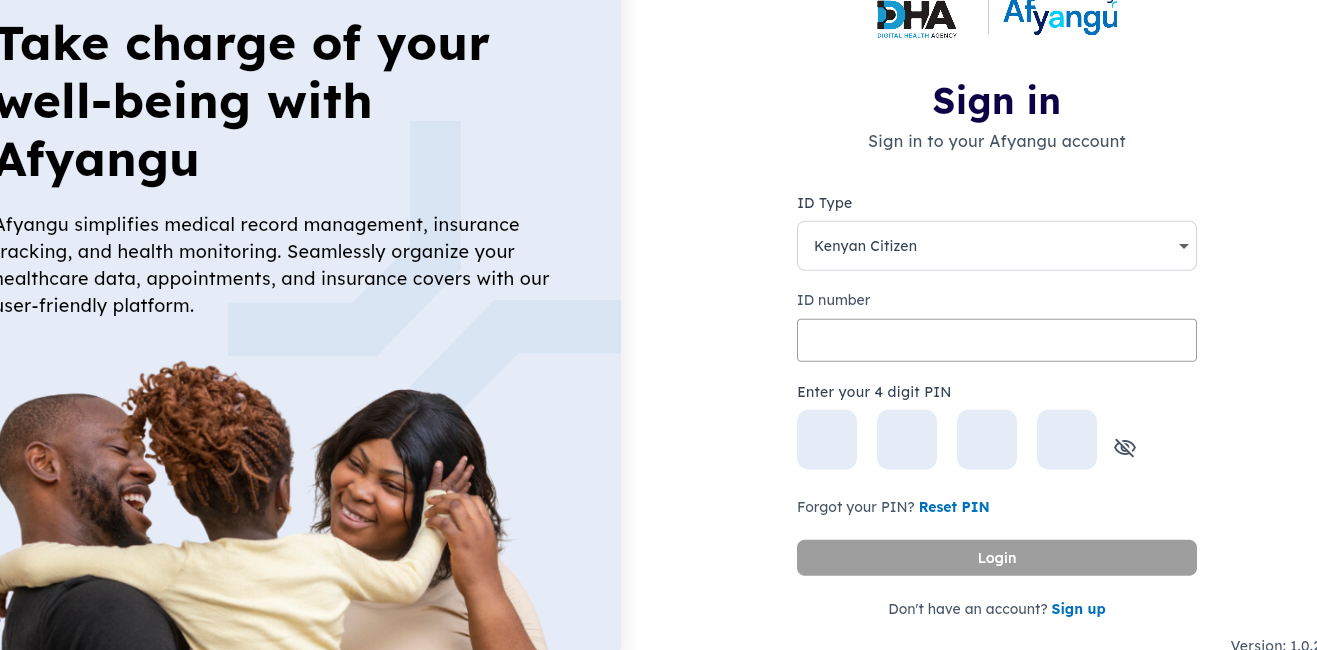
Step 1: Visit the official SHA member portal and choose your ID type depending on your document type, like ID or passport, and whether you are a citizen or foreigner. Enter your document number to log in. Enter the 4-digit code you set when registering. You can reset if you do not remember.
Step 2: Click Add Dependent. Once logged in, navigate to My Profile and then click Dependents. You will be asked whether you have dependents. Select Yes. Select the Add Dependant button. A description will appear explaining that dependents are individuals residing in your household who qualify for benefits under your health coverage. Click Proceed to continue.
Step 3: Choose your relationship with the person you are adding. You can choose either a child, spouse, or other eligible dependent. If you are registering your son or daughter, select Child. Then click Proceed.
Your spouse must be registered to SHA; otherwise it will fail. Enter ID number and OTP notification code for your spouse.
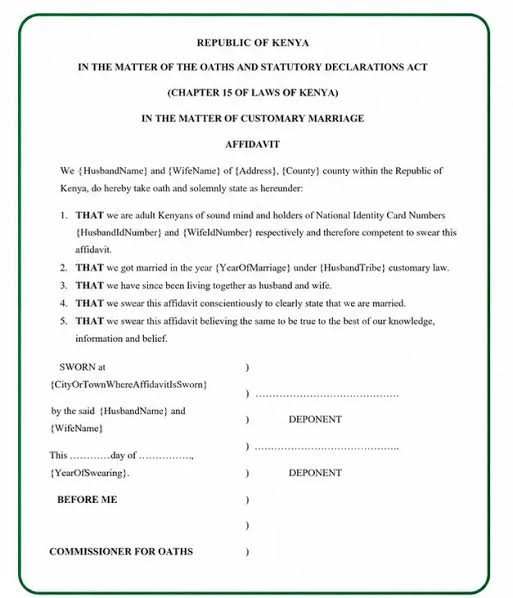
Upload proof of marriage, like an affidavit of marriage or marriage certificate. Make sure files are less than 2MB. If not, compress online.
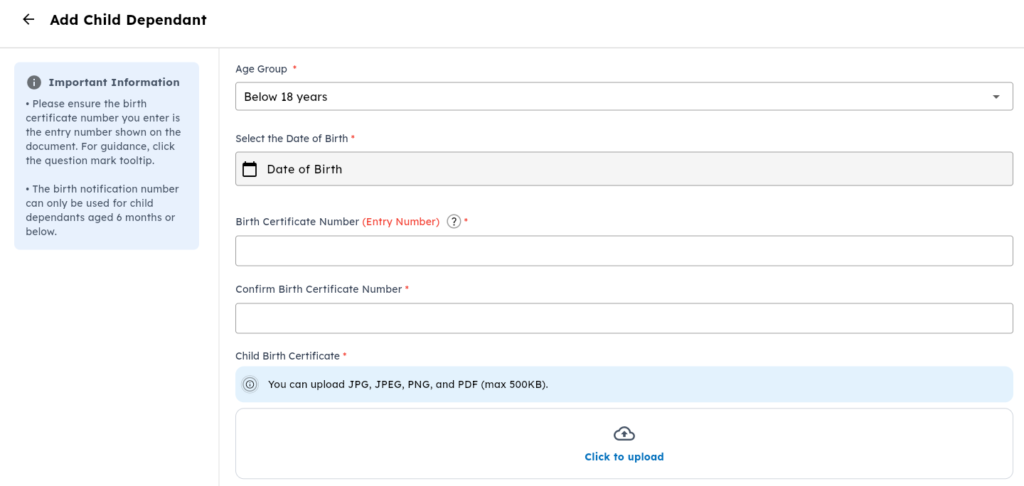
Step 4: For children, choose the child’s age group. Select either Below 18 Years or 18 Years and Above. If you are adding your son or daughter as a dependent, select Below 18 Years, then click Proceed to continue.
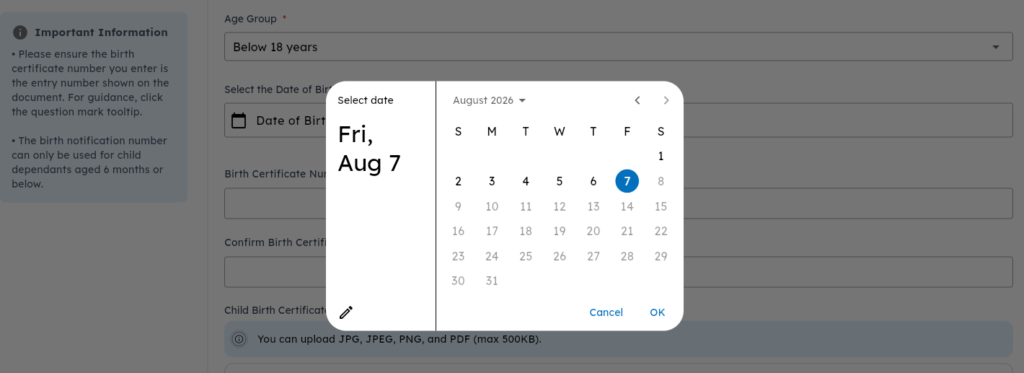
Step 5: Enter the child’s date of birth by selecting the year, month, and day from the date picker. Ensure the date matches exactly with the birth certificate or birth notification. Incorrect information may delay the approval process.
Step 6: Enter the child’s identification document number. If the child is over six months old, enter the birth certificate number. If the child is below six months old, enter the birth notification number issued by the hospital. Double-check the number before proceeding.
Step 7: Enter the child’s official names exactly as they appear on the birth certificate or birth notification. Fill in the surname, first name, and middle name (if applicable). Do not use nicknames, abbreviations, or different spellings, as all details must match the official records.
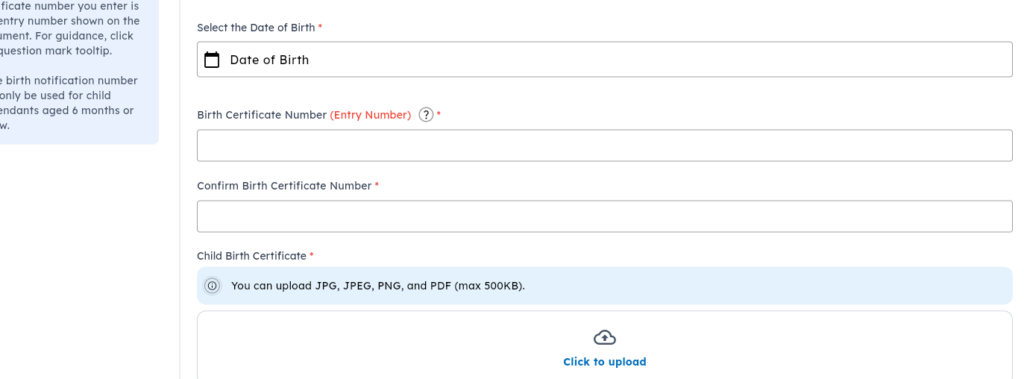
Step 8: Upload the required supporting document. If you entered a birth certificate number, upload the birth certificate. If you entered a birth notification number, upload the birth notification. You may also upload a passport-size photograph of the child if available, although this is optional. Wait for the upload to complete successfully before continuing.
If you have more than one child, repeat exactly the same process for each child. That is, click Add Dependant, enter their personal details, upload their documents, and save the record. Each child requires an individual registration.
Step 9: Complete the remaining information requested by the system. This includes the child’s gender, disability status, and whether the dependent is in conflict with the law. Answer all questions accurately and complete every required field before proceeding.
Step 10: Review all the information you have entered to ensure it is correct. Once you have confirmed that everything is accurate, click Save. The SHA system will process your request, and after a few moments, a confirmation message will appear indicating that the child has been successfully added as a dependent.
How do I add my spouse as a dependent to SHA online?
To add your spouse as a dependent online:
- Log in to your SHA account.
- Select My Profile.
- Click Dependants.
- Choose Add Spouse.
- Enter your spouse’s details.
- Upload your marriage certificate or affidavit.
- Ask your spouse to enter the OTP sent to their registered phone number.
- Submit the request to complete the process.
Common Mistakes to Avoid
Many applications experience delays because of avoidable mistakes.
Always avoid:
- Incorrect Birth Certificate numbers
- Misspelled names
- Wrong date of birth
- Uploading unclear documents
- Using someone else’s phone number
- Skipping mandatory fields
- Entering information that differs from official documents
Taking a few extra minutes to verify every detail can save significant processing time.
Who Qualifies as an SHA Dependent?
A dependent is a person living within your household who is eligible to receive healthcare benefits under your SHA membership. Eligible dependents include the following:
- Children below 18 years
- Your spouse
- Other eligible household members where applicable under SHA regulations
- Each dependent must be registered separately through your SHA account.
Final Thoughts
Registering your child or spouse as an SHA dependent is a straightforward process when you have the correct documents and carefully follow each step.
Begin by logging into your SHA account, selecting My Profile, navigating to Dependants, and completing the required information for each eligible household member. Ensure that names, identification numbers, and uploaded documents exactly match the official records to avoid unnecessary delays.
After successfully adding your dependents online, remember that biometric verification is a mandatory final step. Visit an authorized biometric registration center with the required supporting documents, including birth certificates for children and acceptable proof of marriage for spouses. Completing every stage of the registration process ensures that your family members are properly enrolled and can access the healthcare benefits available under Kenya’s Social Health Authority (SHA).
Related Posts
Frequently Asked Questions
How do I check my SHA status and whether a dependent is added?
Dial *147# using the phone number linked to your SHA account. Select SHA Services or Check Registration Status and enter your national ID number. Your registration status will be displayed on the screen or sent by SMS. To view your registered dependents, log in to your SHA account, open My Profile, and select Dependents.
How do I register my dependents?
Log in to your SHA account and open My Profile > Dependents. Select the type of dependent you want to add and enter the required details. If you are adding your spouse, provide their National ID number, first name, and a marriage certificate or affidavit. Your spouse must have an active SHA account and verify the request using the OTP sent to their registered phone.
How do I add my spouse to SHA online?
Sign in to your SHA account and go to My Profile > Dependants. Select Add Spouse, enter your spouse’s details, and upload your marriage certificate or affidavit. Your spouse must enter the OTP sent to their registered mobile number before the request can be submitted.
Can I add more than one child?
Yes. You can add multiple children as dependents. Each child must be registered separately through the Add Dependant option.
Can I register a newborn with SHA?
Yes. A newborn under six months can be registered using a birth notification number before a birth certificate is issued.
Is a passport photo required for SHA registration?
A passport photo may not be required in every case. However, you should upload one whenever the SHA portal requests it.
Can I add my spouse without their consent?
No. Your spouse must confirm the request by entering the OTP sent to their registered mobile phone. The registration cannot be completed without their verification.