
5 Best Free PDF Tools Online: Merge, Split, Compress & More
PDF files, or Portable Document Format, allow easy moving and sharing of files. You can share documents like forms, reports, invoices, applications, and other digital files.
However, to efficiently work with PDFs, you need to understand how to manipulate them to your preference using different tools. Some of these tools allow you to merge several PDF files, split a large document, compress a PDF, or extract specific pages.
You don’t need expensive desktop software to manage your PDF documents. Today, free PDF tools online let you merge, split, compress, convert, and manage PDF files directly from your browser quickly and without installing complicated software.
In this guide, we’ll explore the best free PDF tools for handling common document tasks, helping you save time and manage your PDFs more efficiently. If you need me to help you with your PDF, just contact me.
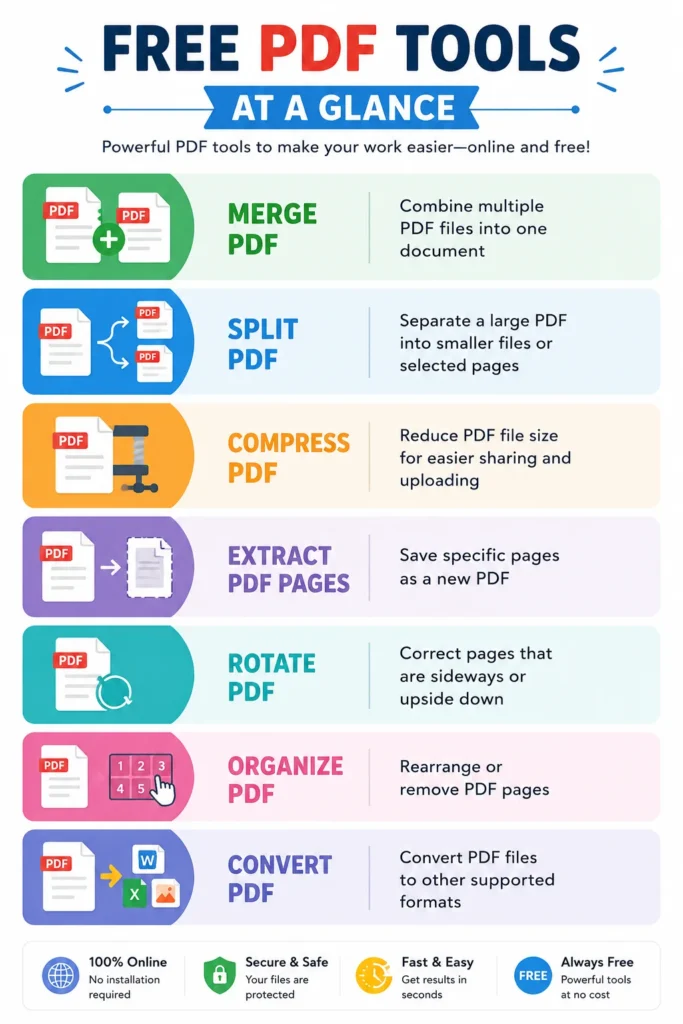
What Are Free PDF Tools?
There are many different tools that you can use. This post lists some of the ones I use most in my day-to-day work. Other tools not included in this post include Rotate PDF, Unlock PDF, Create PDF Invoice online, and more.
- Merge PDF Files—Combine multiple PDF files into one.
- Split PDF Files Online—Extract pages or divide a PDF into separate files.
- Compress PDF files—Reduce PDF file size for easier sharing and uploading.
- Convert JPEG to PDF – Convert a Photo to PDF
- Convert PDF to Word – Convert PDF to a Word document (.docx)
How to merge PDFs online
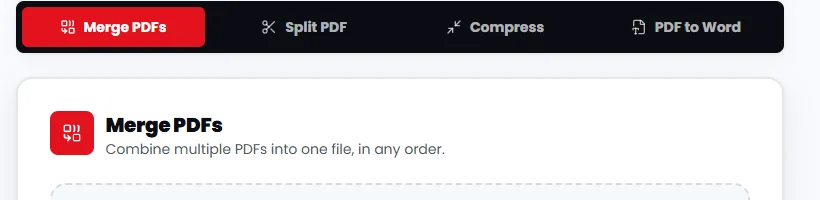
To use the below tool to merge documents, follow these steps. Go to the site and click the best free tools tab. Scroll down to the choose your tool section. Choose the Merge, Split, Compress, or PDF to Word tab depending on what you need.
- Open the PDF merge tool.
- Select the PDF files you want to combine or drag and drop to the above tool.
- Start the merging process.
- Download the resulting PDF.
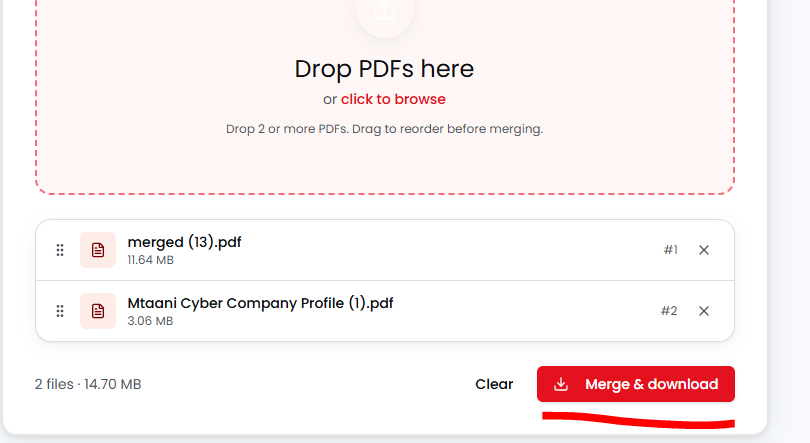
Click “click to browse” and navigate to the PDFs you want to merge. You can also drag and drop both PDFs here. Once files are uploaded, the merge and download button becomes active. Click on it to download the merged file.
Split PDF Files Online
Large PDF documents are not always convenient to share. A PDF splitter allows you to divide one PDF into smaller documents or extract selected pages.
For example, if a document contains 50 pages but you only need pages 10 through 15, splitting or extracting those pages can save time and reduce the size of the file you need to send.
To split files, just go to the Split PDF tool above, upload your document, then hit split. You will be prompted to download a zip file with all pages separate.
Professional PDFs for Printing
Need a professional PDF for printing? I can help you prepare your document with the correct layout, dimensions, resolution, and print-ready settings.
If you need to edit an existing PDF or make advanced design changes, professional graphic design software such as Adobe Illustrator may be required.
If you’re not sure how to edit or prepare your PDF correctly, contact me for help, and I can assist with making your file ready for professional printing.
Frequently Asked Questions
What can I do with these free PDF tools?
You can merge multiple PDFs into one, split PDFs into separate files, convert PDF documents to Word, and reduce PDF file size for easier sharing, uploading, and storage.
Do I need to install any software to use the PDF tools?
No. The tools work directly in your web browser, so you can use them without installing additional software.
Can I use the PDF tools on my phone?
Yes. You can access and use the tools on smartphones, tablets, laptops, and desktop computers using a modern web browser.