
7 Easy Steps to Complete a Vehicle Ownership Transfer on eCitizen
If you are buying or selling a used vehicle in Kenya, it requires the ownership to be transferred through the NTSA TIMS portal on eCitizen. In this guide, you’ll learn exactly how the buyer and seller complete the transfer, the documents required, the fees involved, common reasons transfers fail, and what happens after submitting the application.
Both the buyer and the seller must have active eCitizen accounts to complete the process. The buyer will initiate the transfer on the NTSA portal, and the seller logs in to consent to the transfer.
Follow the steps below to transfer ownership successfully.
I have been helping sellers and buyers with this process for the last 2 years at Mtaani Cyber. If you need help or need me to do this for you, just contact me or send a WhatsApp message. You can also click on the floating button at the bottom right of this page to send a direct message.
Quick Summary
- Step-by-step vehicle ownership transfer guide.
- Buyer and seller responsibilities explained.
- Required documents and transfer fees.
- Processing times and what to expect after submission.
- Answers to common vehicle transfer FAQs.
What you need Before Transferring Vehicle Ownership
- The buyer needs to have an active eCitizen account
- The seller needs an active eCitizen account
- Both seller and buyer must have a KRA PIN
- The seller must have the original logbook
- Vehicle registration number
- Both the Buyer and seller must have their original ID
- Official Phone number linked to eCitizen
- A Payment method like M-Pesa, accepted on eCitizen
Buyer’s Part during Vehicle Ownership Transfer on eCitizen
Step 1: Access the NTSA Portal. To get started, search for timsNTSA. Open the NTSA portal, which is usually at the top of the search results. We will use eCitizen to log in. Click Sign In and enter your eCitizen credentials.
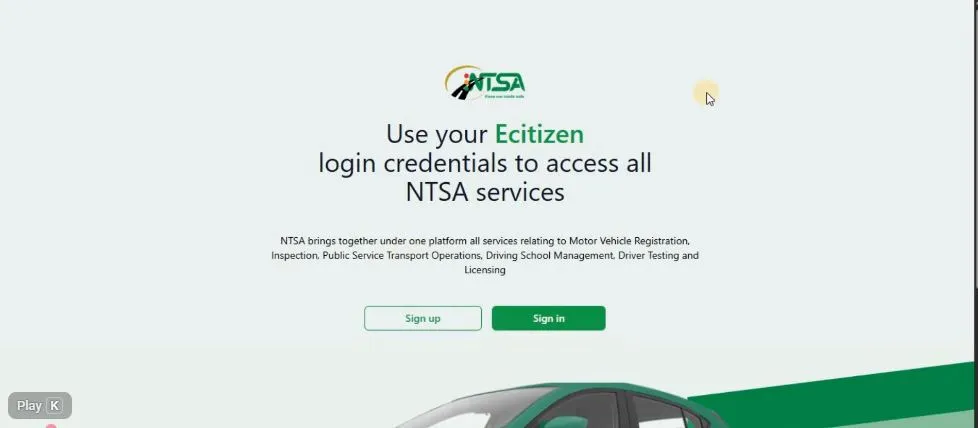
Step 2: Sign In to the NTSA Portal. Use your email or ID, depending on the one you normally use. Input your password, then click Sign In. An OTP code will be sent to your phone or registered email.
Verify your OTP by entering it, then click Next. This will take you to the NTSA dashboard. Scroll down, enter your KRA PIN, and submit.
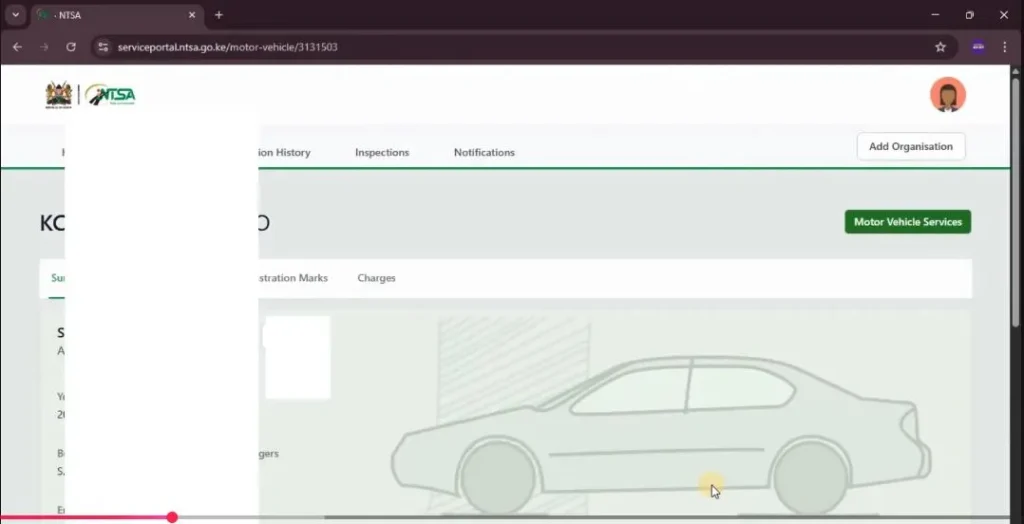
Step 3: Access Motor Vehicle Services. After this, scroll down again. Select the vehicle you want to transfer and choose View. Click Motor Vehicle Services.
Step 4: Upload the Required Document. Choose Vehicle Transfer, then click Apply and scroll down. Upload the registration certificate, which is the car’s log book. Make sure the logbook is in PDF format.
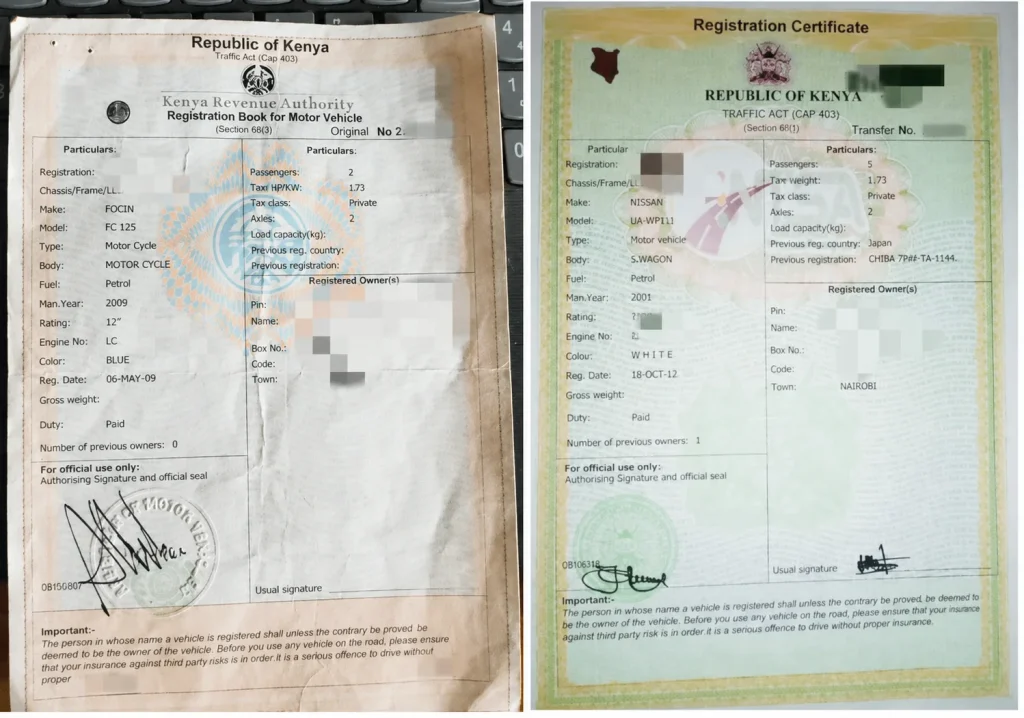
Step 5: Answer Vehicle Status Questions. Once uploaded, indicate whether the vehicle is written off by selecting Yes or No. Click Next. Choose the type of ownership, whether it is joint or single ownership.
Step 6: Enter Buyer Details. Enter the buyer’s KRA PIN and click Search. The buyer’s details will automatically appear.
Step 7: Preview and Submit the Application. Scroll down, then select Preview. Choose Submit at the bottom.
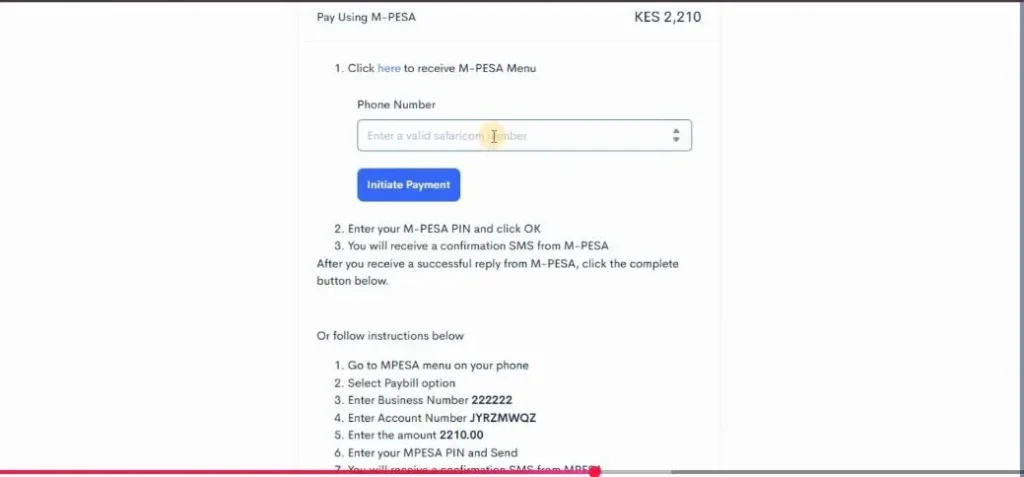
Step 8: Pay the Transfer Fee. Scroll down again to select the payment method. You can pay using M-Pesa or a bank card. For MPesa, enter your phone number and click Initiate Payment.
An STK push will be sent to your phone. Complete the payment by entering your MPesa PIN, and the amount will be deducted from your account.
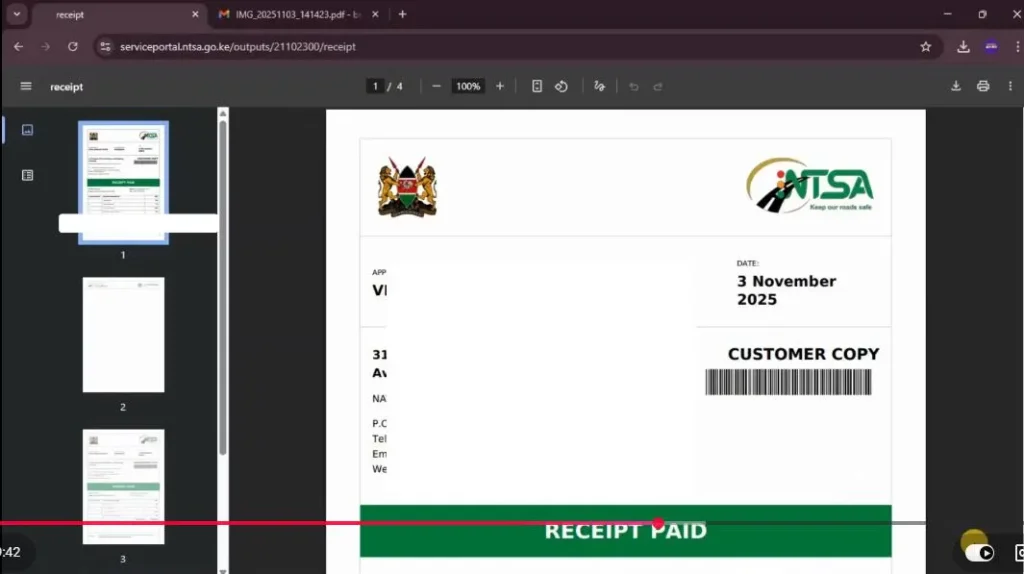
Step 9: Download Your Receipt. After the payment is complete, choose Download Receipt. Log out of the buyer’s eCitizen account.
Seller’s Part during Vehicle Ownership Transfer on eCitizen
Step 10: Sign in using the seller’s account. You now need to log in to the seller’s eCitizen account, just as you did for the buyer. The login steps are exactly the same.
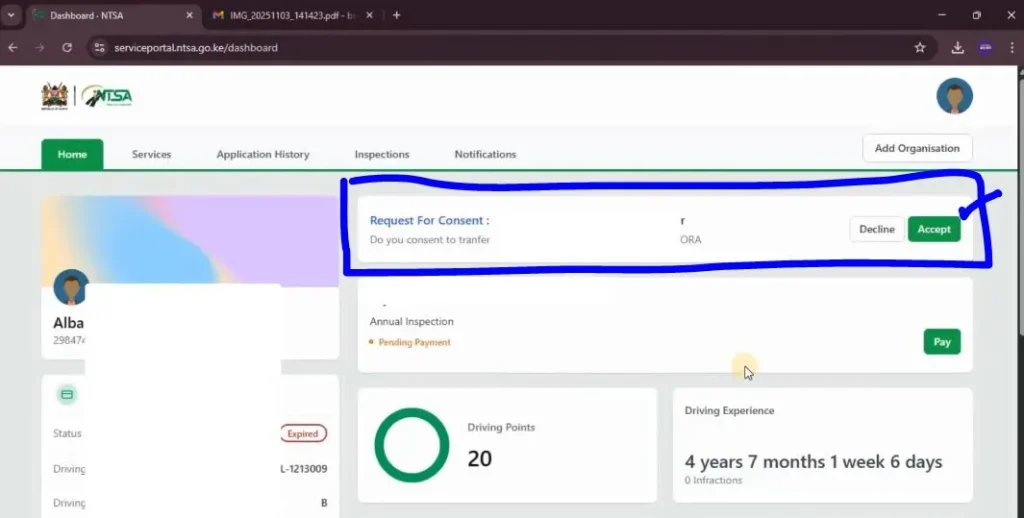
Step 11: Accept the Transfer Consent Request. An automatic prompt requesting the seller to consent to the transaction initiated by the buyer will appear. Accept the consent request.
Step 12: Choose the Notification Method. Choose the notification method, either SMS or email.
Step 13: Select the Collection Office: Select a collection office that is convenient for you, where you will collect the new log book.
Step 14: Enter Collection Details. Select the ID type, which is Kenyan Citizen. Enter your ID number or the ID number of the person who will collect it on your behalf. Enter their name as well and click Search. Then enter their email address and phone number.
Step 15: Preview and Submit. Click Preview to review all the information and ensure it is correct. Finally, click Submit to complete the vehicle ownership transfer process.
Common Vehicle Transfer Errors and How to Fix Them
When helping sellers and buyers with the transfer process, I have noted some common errors that users encounter. Below are the most common ones and what to do when you encounter them.
- Invalid KRA PIN: Ensure the buyer’s KRA PIN is active and matches the registered ID.
- The seller cannot see the request: Ask the buyer to confirm the application was submitted successfully.
- OTP not received: Wait a few minutes and request another OTP. Confirm the phone number linked to eCitizen is correct.
- Logbook upload failed: Convert the file to PDF and reduce the file size if necessary.
What Happens Next After Vehicle Ownership Transfer?
Once both the buyer and seller have completed their respective steps and the application has been processed by NTSA, the ownership transfer will be finalized.
The new owner will be able to collect the new registration certificate (log book) from the selected NTSA office after receiving notification that it is ready.

Vehicle Transfer Fees and expected processing times
The cost of transferring vehicle ownership through the NTSA TIMS portal depends on the type of vehicle. Generally, you should budget KES 2,210–6,465 for the transfer fee, plus KES 750 for the mandatory e-sticker where applicable.
Once both the buyer and seller have completed their respective steps, NTSA typically processes the application within 3–7 working days. To avoid penalties or delays, the ownership transfer should be completed within 14 days of the sale.
Before purchasing a vehicle, it is also advisable to conduct an NTSA vehicle search, verify that the vehicle’s physical details match the logbook, and keep copies of all transaction documents for future reference.
Conclusion
Completing a vehicle ownership transfer online through the eCitizen and NTSA TIMS portal is a simple process when both the buyer and seller follow each step carefully.
By ensuring all details are accurate, uploading the required documents, and completing the necessary approvals, you can avoid unnecessary delays and successfully transfer ownership.
Once NTSA approves the application, the new owner will receive a notification to collect the new registration certificate (log book) from the selected NTSA office, officially completing the vehicle ownership transfer in Kenya.
Related Posts
- Booking for Motor Vehicle Inspection (Step-by-Step Guide)
- Fastest Birth certificate Registration process
Frequently Asked Questions
How do I transfer vehicle ownership online in Kenya?
You can transfer vehicle ownership online through the NTSA TIMS portal on the eCitizen platform. The buyer initiates the transfer request, uploads the required documents, and pays the transfer fee, and the seller logs in to approve the request before NTSA processes the application.
Do both the buyer and seller need an eCitizen account?
Yes. Both the buyer and the seller must have active eCitizen accounts to complete the vehicle ownership transfer process. The buyer initiates the transfer, while the seller logs in separately to approve the transfer request.
How much does it cost to transfer vehicle ownership in Kenya?
The transfer fee varies depending on the vehicle category and is determined by NTSA. The exact amount is displayed on the payment page before you complete the transaction. Payment can be made using M-Pesa or a debit or credit card.
How long does vehicle ownership transfer take in Kenya?
The processing time depends on NTSA. Once both the buyer and seller have completed their respective steps and the application has been approved, the new owner will receive a notification when the new registration certificate (log book) is ready for collection from the selected NTSA office.
Is the vehicle and motorcycle ownership transfer process the same in Kenya?
The motorcycle ownership transfer is exactly the same as the above process explained for vehicles. The main difference is the applicable transfer fee.